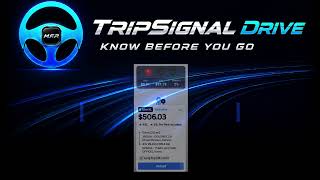
TripSignal Drive — Install, Setup & Real Offers
TAKE OR SKIP? |
4 videos |
Updated 3 weeks ago
Install TripSignal Drive on Google Play:
play.google.com/store/apps/details?id=app.tripsign…
TripSignal Drive Tutorials — from installation to real ride offers.
This 3-part quick-start series shows Uber and Lyft drivers how to install TripSignal Drive, set their own driving rules, and see TripSignal work with real supported ride offers.
PART 1 — Install & First Setup
Install TripSignal Drive from Google Play and complete the required first-time setup.
PART 2 — Set Your Rules
Choose your own $/mile, $/hour, pickup, minimum and target thresholds.
PART 3 — Real Offers. Real Decisions.
See TripSignal Drive evaluate real supported ride offers and provide clear driver guidance:
TAKE
MAYBE
SKIP
No guessing.
No rushed math in your head when an offer appears.
You set your rules before you drive.
TripSignal applies the math when the offer arrives.
Your Math. Your Rules.
They make the offer.
You decide.
TripSignal Drive — Know Before You Go.
Safety First.
M.F.P. — Made For Profit.
TripSignal Drive provides driver-assistance guidance only. It does not accept, reject, modify, or control ride offers. The driver always makes the final decision and remains responsible for all driving and ride decisions.
TripSignal Drive is an independent product and is not affiliated with, endorsed by, or sponsored by Uber Technologies, Inc. or Lyft, Inc.
Campaign ID: TSD-PL-001
#TripSignal #UberDriverTips #LyftDriverTips #RideshareDriver