2:40
0101. Go To (Special) in Excel - Formulas with Errors
2:02
0102. Go To (Special) in Excel - Formulas without Errors
2:08
0103. Go To in Excel (Special) w. Ctrl+Enter
5:59
0104. Go To (Special) in Excel - Fill Intermittent Blank Cells - Case 1
2:04
0105. Go To (Special) in Excel - Fill Intermittent Blank Cells - Case 2
2:24
0106. Go To (Special) in Excel - Visible Cells w. Shortcut
1:42
0201. Text Formulas in Excel - Change Case using UPPER(), PROPER() & LOWER()
1:44
0202. Text Formulas in Excel - Remove Leading, Trailing & excess Intermittent spaces using TRIM()
1:33
0203. Text Formulas in Excel - Using LEN() & TRIM() together
3:16
0204. Text Formulas in Excel - T(), N() & VALUE()
1:15
0205. Text Formulas in Excel - REPT() for artificial Column Chart in a Cell
4:29
0206. Text Formulas in Excel- REPT() & LEN() for adding leading zeroes before incomplete Cheque Nos.
4:56
0207. Join cell contents using Concatenate (&)
3:08
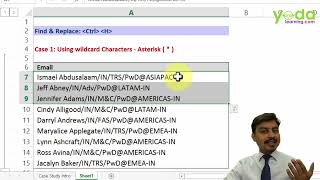
0208. Find & Replace in Excel - Using Wildcard character ( )
2:23
0209. Find & Replace in Excel - Using Wildcard character ( )
2:38
0210. Find & Replace in Excel - Neutralising Wildcard characters to remove them from data
6:05
0211. Find & Replace in Excel - Word vs. Excel
4:30
0212. Find & Replace in Excel - Cell Format
2:50
0213. Text to Columns in Excel - Basics (Delimited)
4:05
0214. Text to Columns in Excel - Basics (Fixed Width) + Hidden Trick
2:33
0215. Text to Columns in Excel - Cleaning up numbers w. trailing minus sign
0216. Text to Columns in Excel - Cleaning up numbers w. leading DrCr text
3:24
0217. Text to Columns in Excel - Correcting invalid Dates (DMY)
3:18
0218. Text to Columns in Excel– Correcting invalid Dates (YMD)
4:18
0219. Text Formulas in Excel - LEFT(), RIGHT() & SEARCH() - 1 of 2
2:26
0220. Text Formulas in Excel - LEFT(), RIGHT() & SEARCH() - 2 of 2
3:42
0221. Text Formulas in Excel - MID() & LEN()
7:22
0222. Flash Fill in Excel 2013