Apar Chatbot: AI Chatbot for your Website, No Code Setup, Analytics, WhatsApp & Voice | Start free | Chatbot as a Service Tutorial
Aparsoft |
32 videos |
Updated 2 weeks ago
Chatbot as a service for your website: learn how to add an AI chatbot that answers from your own pages, with the sources shown under every answer. Apar Chatbot is a no-code, hosted website chatbot: you add your site, it reads the pages, you test it, match your brand, paste one snippet, and then run it with analytics, conversations and credits. WhatsApp Business and voice are covered at the end.
This is the complete Apar Chatbot course: 21 short how-to videos, in order, shot on our own live product website, aparexam.com, from a demo account. Watch #01 for the full tour, then follow the steps for your own site.
PART 1: SET UP YOUR WEBSITE CHATBOT
- The full tour: add an AI chatbot to a website from start to finish
- Dashboard: where everything is
- Add your website: URL, pages to read, sitemap or links
- Build the knowledge base: watch the website scraping stage by stage
- Test your chatbot before it goes live, with sources and "won't guess" answers
- Make the chatbot match your brand: colours, title, position, welcome message
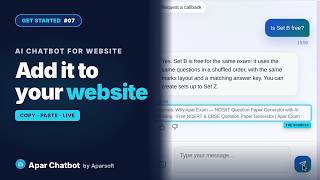
- Add the chatbot to your website with one HTML snippet
- Add it to React, Next.js, Vue or Angular
- Lock the chatbot to your own domain, or switch it off
- Add PDFs and documents to its knowledge
PART 2: RUN AND IMPROVE IT
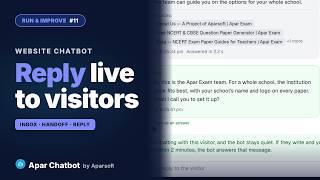
- Read what your visitors asked: every conversation, with the sources behind each answer
- Chatbot analytics: when, where and on which devices visitors chat
- Content gaps: the questions your website doesn't answer, ranked
- Keep its answers up to date when your website changes
- API keys: create, rotate and revoke
- Choose a plan: one website, or three for agencies and freelancers
- Message credits: what they are and what happens at zero
- Agencies: three client websites, one account
PART 3: WHATSAPP AND VOICE (ADD-ONS)
- Connect your WhatsApp Business number with Meta's Cloud API
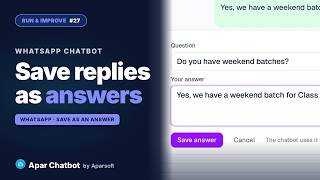
- WhatsApp conversations, templates and analytics
- Voice: visitors speak their question and hear the reply
WHO THIS IS FOR
Business owners, coaching centres, schools, agencies, freelancers and developers who want a website chatbot, a customer support chatbot or a lead capture chatbot without writing code. If you searched for "chatbot as a service", "AI chatbot for website", "how to add a chatbot to my website", "website chatbot", "ChatGPT chatbot for website", "train a chatbot on your website data", "WhatsApp chatbot" or "no code chatbot builder", this is the playlist.
WHAT YOU CAN DO WITH APAR CHATBOT
- Train an AI chatbot on your own website pages and PDFs
- Answer visitor questions from your content, with sources
- See every conversation and the questions it couldn't answer
- Embed it on HTML, WordPress-style site builders, React, Next.js, Vue and Angular
- Run it on up to three websites from one agency account
- Connect the same knowledge base to WhatsApp Business and voice
QUICK ANSWERS
What is chatbot as a service? A hosted chatbot you set up in a browser. There is nothing to install and no server to run: you add your website, and the service reads it, answers visitors and shows you the results.
How does the chatbot learn my business? It reads the pages you choose, and any PDFs or documents you add. When a question isn't covered, it says so and won't guess. You then see that question in Content Gaps.
Do I need to code? No. You paste one snippet before the closing body tag, or follow the React, Next.js, Vue or Angular steps.
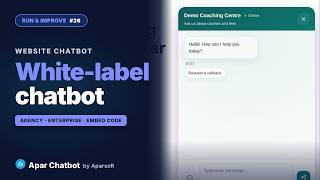
Can I use it for more than one website? Yes. Agency and freelancer plans cover three websites, each with its own knowledge, widget, key and conversations.
Can the same chatbot answer on WhatsApp? Yes, on the plans that list WhatsApp on the Pricing page.
Start free: chatbot.aparsoft.com
LinkedIn: www.linkedin.com/company/aparsoft
Apar Chatbot by Aparsoft: an AI chatbot that answers from your own website.
#ChatbotAsAService #AIChatbot #WebsiteChatbot #WhatsAppChatbot #NoCodeChatbot #ChatbotForWebsite #Aparsoft