Office Ally User Tips
Marie Matteson |
38 videos |
Updated 5 days ago
The claim came back denied and the reason code does not tell you what to do next. The patient balance never generated a statement and nobody knows why. A write off posted itself and now the account is short. If you run the front desk or the billing for a small practice, you already know nobody hands you a manual for this.
This playlist is that manual.
Written for the people running chiropractic, physical therapy, podiatry, massage therapy, naturopathic, acupuncture, occupational therapy, speech therapy, optometry, and mental health practices, and for any small clinic or solo practitioner billing through Office Ally.
Marie Matteson, MS, walks through real Office Ally work on real screens, at the pace you would actually do it, in Practice Mate and EHR 24/7. All patient information has been redacted.
Here is what is in here:
Setting up a new Practice Mate account from scratch
Security administrators, user access, and billing permissions
Adding patients, entering insurance, guarantors, and documents
Check in, copays, blocking the schedule, and account notes versus visit notes
Understanding the payment screens, and why patient responsibility never sets itself
Posting patient payments, ERAs and EOBs, and why autopost writes off money you are owed
Finding, printing, and sending billing statements
Putting a payment QR code on a statement using Stripe or Square
Building a clean claim, with the calendar and without it
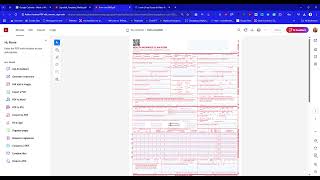
Filling out the CMS 1500, and the box 33 facility trap
Reversing a write off and resubmitting a corrected claim
AR reports, and reading autopost errors eighteen months after the fact
Creating reports, and using AI to build annual financial summaries
SOAP notes and documentation guidelines in EHR 24/7
Telehealth, Zoom, and the browser setup around the software
Most billing problems are not mysteries. They are sequence problems. Something got entered in the wrong order, or a box got left blank, or a checkbox nobody set is still sitting unset a year later. Watch the order the steps happen in, not just the clicks.
Gather the clues, read what the system is actually telling you, then correct it.
Like what you see? Leave a comment with the videos you want next.
More Office Ally training:
Free forms and resources: mariematteson.com/resources
Office Ally consulting and training: mariematteson.com/officeally
Medical Receptionist and Biller Course: mariematteson.com/medcourse
Free 15 Minute Q and A: link.tekmatix.com/widget/bookings/15marieqa
Marie Matteson, MS, is a healthcare consultant, educator, and Office Ally specialist with more than 30 years in healthcare, emergency medicine, and practice management. Helping you understand what's really going on.
Website: mariematteson.com/welcome
Contact: mariematteson.com/contact-us
All patient information in these videos has been redacted. This content is educational and is not billing, legal, or coding advice. Always follow your payer contracts, your practice policies, and current coding guidelines. This channel is independent and is not affiliated with, sponsored by, or endorsed by Office Ally.
#OfficeAlly #MedicalBilling #PracticeMate #ChiropracticBilling #PhysicalTherapyBilling #PodiatryBilling #MassageTherapyBilling #NaturopathicBilling #MentalHealthBilling #SmallPracticeManagement #MedicalReceptionist #RevenueCycle #ClaimDenials #FrontDeskTips #HealthcareAdmin
© Marie Matteson. All rights reserved.