2:13
0101. CONCATENATE (Basics) - using two approaches
3:03
0102. CONCATENATE vs. Flash Fill
2:51
0103. CONCATENATE vs. & vs. TEXTJOIN vs. CONCAT - Which one is the best
4:38
0201. Use LEFT, RIGHT, MID and VALUE – to extract data from a text string
5:00
0202. Use SEARCH with MID – to extract Characters from a String
2:10
0203. Use TRIM, LEN, and SUBSTITUTE – for data cleansing
0:50
0204. Use UPPER, PROPER, and LOWER – to convert cases of letters
5:39
0301. Text to Columns – split text using different options (Delimiter vs. Fixed Width)
2:39
0302. Text to Columns – Format invalid dates quickly
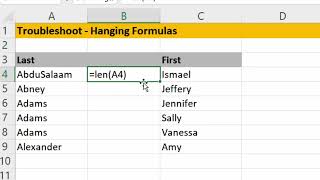
0303. Text to Columns – Solve troubleshoot hanging formulas problem
1:15
0401. Formatting tricks – Clear all formatting faster using QAT, Double-click Format Painter
2:06
0501. Using the “Remove Duplicates” feature vs. UNIQUE Function
3:28
0502. Detect duplicates using the COUNTIFS Function
6:55
0601. Basics of Flash Fill (Ctrl E) – Dos & Don’ts
6:09
0602. Project #1 – Extract complex bank details using Flash Fill & Formulas
7:54
0603. Project #2 – Clean up messy electricity usage details using Flash Fill and Find & Replace
2:46
0701. Basics of Find & Replace
4:56
0702. Advanced Find & Replace - using wildcard characters
3:58
0703. MS Word’s hidden trick for Find & Replace
4:00
0801. Power Query’s feature – PQ’s Split text into Rows vs. Excel’s Text to Columns
3:56
0802. Power Query’s feature – Unpivot columns to convert Cross tab data into a flat file.
7:19
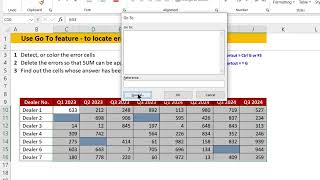
0901. Using Go To – Special option – Find out a specific type of cells
5:49
0902. Using Go To – Special option – To Fill up intermittent blank cells and Colour the blank cells
4:52
0903. Using Go To – Special option – For smart formatting tricks