How to Switch Workspaces & Stay Organized in Regform
Regform |
2 videos |
Updated 1 week ago
Managing multiple client events, teams, or business entities? Stay completely organized without getting lost in your data. In this practical guide, we break down how to easily navigate your Regform workspace dashboard, switch between organizations, and keep all your registration projects neatly structured.
🔗 Organize your workspace and get started today:
regform.com
Here’s what you’ll learn in this series:
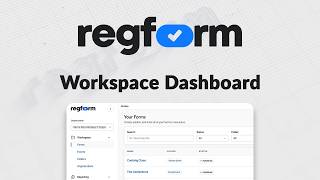
1. Mastering the Workspace Dashboard – Get a quick, step-by-step tour of the sidebar layout. Learn how to navigate active form libraries, expand workspace controls, find your financial reporting logs, and configure team settings in seconds.
2. How to Switch Organizations & Manage Multiple Entities in Regform – Learn how to effortlessly switch business profiles using the top-left dropdown, organize forms into custom folders, audit raw order data for financial reconciliation, and configure account-wide integrations like Stripe and Analytics.
Whether you're an agency managing multiple event clients or an event planner juggling complex teams, Regform gives you full control over your workflows under one roof.
Hit the subscribe button for more Regform tutorials, and drop a comment below if you have any questions!
#Regform #WorkspaceManagement #MultiEntityManagement #EventTech #OnlineFormBuilder #WorkflowAutomation #ProductivityTools