11:51
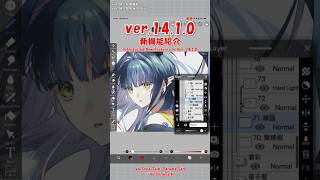
New Features ver.14.1.0【ibisPaint】
ibisPaint
2:33
【ibisPaint】Stroke Prediction / New Stabilizer【ver.14.1.0】
0:58
【ibisPaint】Audio Track feature【ver.14.1.0】
0:56
【ibisPaint】3D materials feature【ver.14.1.0】
0:46
【ibisPaint】Smart Shape feature【ver.14.1.0】
1:07
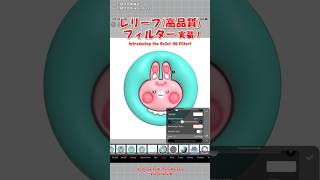
【ibisPaint】Relief HQ filter!【ver.14.1.0】
0:45
【ibisPaint】New Keyboard Shortcuts【ver.14.1.0】
0:47
【ibisPaint】Solo Mode feature【ver.14.1.0】
1:06
【ibisPaint】Recently Deleted Artworks【ver.14.1.0】
1:17
【ibisPaint】Oil Paint filter【ver.14.1.0】
1:29
【ibisPaint】Enhanced Trim(Other New Features)【ver.14.1.0】
1:51
Effortless Ruffles with the 3D Filter【ibisPaint】
1:00
Vector Eraser【ibisPaint】
2:54
Panel-style deco fan【ibisPaint】
1:09
Copy Pen【ibisPaint】
0:48
【ibisPaint】Color Palette Grouping Feature【Ver.14.0.0】
【ibisPaint】Brush Categories【Ver.14.0.0】
1:28
【ibisPaint】CMYK color profiles【Ver.14.0.0】
1:10
【Ver.14.0.0】Speech Balloon Tool・Thin Arrow Tool(Other New Features)
【ibisPaint】Gradation Pen Feature【Ver.14.0.0】
0:27
【ibisPaint】Floating Color Window【Ver.14.0.0】
1:19
【ibisPaint】New Brushes・Brush Lock(Other New Features)【Ver.14.0.0】
0:43
【ibisPaint】Vector Lasso Tool , New Adjustment Layer【Ver.14.0.0】
1:14
【ibisPaint】Keyboard Shortcuts・Customizable Keyboard Shortcuts【Ver.14.0.0】
0:41
【ibisPaint】Drag & Drop Import【Ver.14.0.0】
0:54
【ibisPaint】Layer Lock【Ver.14.0.0】
Create rough sketches with lasso painting【ibisPaint】
I tried the trending Hard Light effect【ibisPaint】
0:57
Easy Shading with the Lasso Tool【ibisPaint】
3:01
New Features ver.13.1.0【ibisPaint】
【ibisPaint】Vector Eraser【ver.13.1.0】
【ibisPaint】Simplify Shape(Other New Features)【ver.13.1.0】
【ibisPaint】Quick Eyedropper via Right-Click(Other New Features)【Ver.13.1.0】
0:51
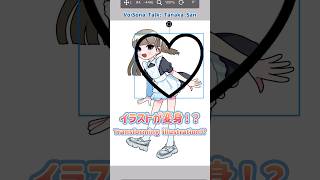
Transforming Illustration【ibisPaint】
Make a template with ibisPaint!【ibisPaint】
Let's draw clean line with Bezier curve!【ibisPaint】
4:16
New Features ver.13.0.0【ibisPaint】
Read and export brush QR codes【ibisPaint】
0:49
How to easily hide the background【ibisPaint】
0:36
Multiply the bangs with a copy pen【ibisPaint】
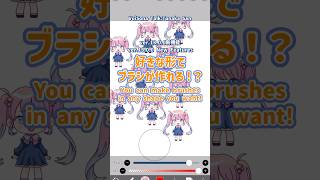
【ibisPaint】Original Brush Patterns feature【ver.13.0.0】
【ibisPaint】Surrounding Fill, Eraser【Ver.13.0.0】
【ibisPaint】Change the number of seconds for Quick Eyedropper【ver.13.0.0】
【ibisPaint】Numeric Input(Other New Features)【Ver.13.0.0】
0:44
【ibisPaint】Switch Tool function(Other New Features)【Ver.13.0.0】
0:33
Delete all the materials in the reference window【ibisPaint】
0:31
Move and transform the entire canvas【ibisPaint】
0:53
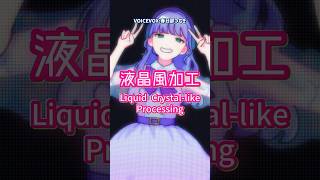
Liquid Crystal-like Processing【ibisPaint】
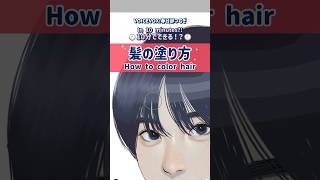
Do color tracing in 10 seconds!【ibisPaint】
Let's change the color of a material!【ibisPaint】
Understand in 1 minute! Color tracing!【ibisPaint】
Tone Curve【ibisPaint】
0:59
Gradation Map【ibisPaint】
0:52
Watercolor filter challenge【ibisPaint】
Features & Brushes our illustrators recommend【ibisPaint】
0:32
How to use the Eraser Bucket 【ibisPaint】
【Smudge】Easy hair coloring【ibisPaint】
【Divide】How to clean up traditional illustrations【ibisPaint】
3:33
New Features ver.12.2.0【ibisPaint】
0:39
【ibiaPaint】Artworks Folder feature【Ver.12.2.0】
0:28
【ibisPaint】Layer Selection of Drawn Contents feature【Ver.12.2.0】
0:30
【ibisPaint】Watercolor filter【Ver.12.2.0】
0:42
【ibisPaint】Daily Ranking Selection function【Ver.12.2.0】
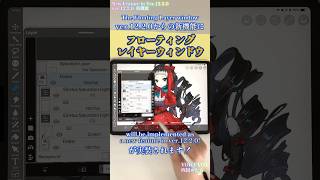
【ibisPaint】Floating Layer window【Ver.12.2】
8:40
【beginner in illustration】Basic usage of ibisPaint【Introduction to Digital】
Difference between Alpha Lock and Clipping【ibisPaint】
Moving Illustration【ibisPaint】
1:01
Recommended functions for photo processing【ibisPaint】
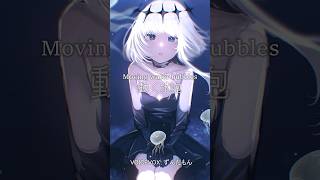
Moving water bubbles
AI Disturbance
How to use the Shrink Pen #ibispaintx
Copy and paste of Layer folder【ibisPaint】
3:06
New Features ver.12【ibisPaint】
Prime Membership feature for Windows【ibisPaint】
Vector Layer [ ibisPaint ]
History retrieval function【ibisPaint】
Making New Year's card from ibisPaint material【ibisPaint】
Small tricks for eye contact【ibisPaint】
Color Code Input feature【ibisPaint】
Teary eyes with the Wave filter【ibisPaint】
Rename Layer feature【ibisPaint】
Logo Design #ibispaint
Copic-like brushes #ibispaint
Tips for creating a natural animated expression easily【ibisPaint】
Convenient Brush 【ibisPaint】
How to draw hair【ibisPaint】
Added Adjustment Layer 【ibisPaint】
5:46
New Features Ver. 11【ibisPaint】
Filter History Function【Ver.11】
Spin Blur【Ver.11】
Retro Game Filter【Ver.11】
A brush search feature【Ver.11】
Material search feature【Ver.11】
Background Removal Function【Ver.11】
Animation Feature 【Ver.11】
How to make a Mucha-style illustration【ibisPaint】
【ibisPaint】Polaroid-style edits【Easy】
Moving shooting stars【ibisPaint】
Eyes of an Idol【ibisPaint】
【ibisPaint】Tracing Sketches (partial)
【ibisPaint】Wet Edge #shorts
【ibisPaint】Fisheye Lens #shorts
【ibisPaint】Invert Color
【アイビスペイント】調整レイヤー機能 #shorts
【アイビスペイント】AI超解像機能 #shorts
【アイビスペイント】カラー履歴(カラーヒストリー)#shorts
【アイビスペイント】カラーモード機能 #shorts
【ibisPaint】How to draw Lightning⚡
6:26
【ibisPaint】New Features Ver.10【Useful】
0:40
【ibisPaint】Show Frame around Object
【ibisPaint】Transform feature
0:29
【ibisPaint】Polar Coordinates filter
【ibisPaint】Improved layer thumbnails
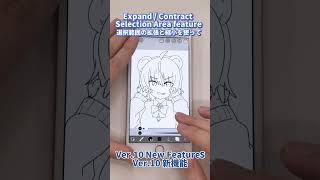
【ibisPaint】Expand / Contract Selection Area
【ibisPaint】Grid feature
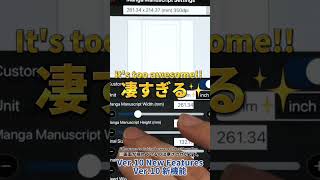
【ibisPaint】Manga Manuscript feature
Introducing the new features of the next version 10 of ibisPaint - Part 1
2:15
【ibisPaint】ibisPaint Windows version 【Good】
4:39
【ibisPaint】 New function Ver.9.4.0 ❗【Convenient】
10:24
【ibisPaint】 New function Ver.9.2.0 ❗【Convenient】
2:11
【ibisPaint】 Fun ways to use the Liquify Pen【Easy】
11:04
【ibisPaint】New function ver 9 ❗【Convenient】
23:55
【ibisPaint】 How to draw Jewels 【Glitter】
17:23
【ibisPaint】 How to make Custom Brushes 【Easy】
17:13
【ibisPaint】 How to use Material Tool 【Quickly】
15:40
【ibisPaint】How to draw Effects 【Easy】
16:15
【ibisPaint】New function ver8【Convenient】
8:38
【ibisPaint】ver.7 New Features【New Features】
10:59
【ibisPaint】Easy coloring with Auto Paint【Quickly】
LIVE
13:54
【ibisPaint】Brush Ranking【New Brush】
9:43
【ibisPaint】ver.6.0.0 is too great!【New Features】
1:58
【ibisPaint】How to use Clipping
8:05
【ibisPaint】Gradation Map
2:13
【ibisPaint】Tone Curve Filter
5:09
【ibisPaint】Clouds Filter
2:47
【ibisPaint】Radial Line Filter
5:42
【ibisPaint】How to use Screen Tone
3:08
【ibisPaint】Downloadable Fonts
3:11
【ibisPaint】Add Layer from Canvas
3:57
【ibisPaint】Big eyes with Expansion
【ibisPaint】How to Pressure Sensitivity and Stabilizer mode
2:16
【ibisPaint】Perspective Array Ruler
2:02
【ibisPaint】Perspective function of Array Ruler
1:16
【ibisPaint】Manga Background filter
【ibisPaint】Anime Background filter
1:08
【ibisPaint】Channels Shift filter
1:18
【ibisPaint】Sphere Lens filter
1:15
【ibisPaint】Radial Line Gradation function
【ibisPaint】Drop Shadow function
【ibisPaint】Array Ruler function
1:11
【ibisPaint】Triming & Canvas Size function
1:27
【ibisPaint】Mesh Transform function
【ibisPaint】Perspective form function
【ibisPaint】Frame Divider function
1:44
【ibisPaint】How to draw magic circle
【ibisPaint】Kaleidoscope Ruler + Sunflower
【ibisPaint】Rotation Ruler
【ibisPaint】Mirror Ruler
【ibisPaint】Ruler tool (Radial Ruler)
【ibisPaint】Kaleidoscope Ruler
【ibisPaint】Save video
【ibisPaint】Material + Clipping
【ibisPaint】Screen Tone
【ibisPaint】Drawing Extraction
【ibisPaint】Repeat Function
【アイビスペイント】自動色塗り(日本語版)
【ibisPaint】Auto Paint (English version)